The Quntis Monitor Light Bar Review starts with a simple question: can a $39.95 monitor light bar improve your desk lighting without the cost of a premium alternative? The Quntis ScreenLinear Pro is designed to illuminate your keyboard and work surface while keeping your desk clear and reducing reflections on your screen. It offers adjustable brightness, warm-to-cool lighting, and automatic dimming, but monitor compatibility is an important consideration before buying.
The bottom line: At $39.95, the Quntis monitor light bar is worth considering for a cleaner, more focused workspace. Its strongest features are space-saving design and adjustable lighting. However, the auto-dimming may need manual correction, and you should confirm that the mounting clip fits your monitor.
What We Like and What Could Be Better
Pros
- Sits above the monitor to free up desk space.
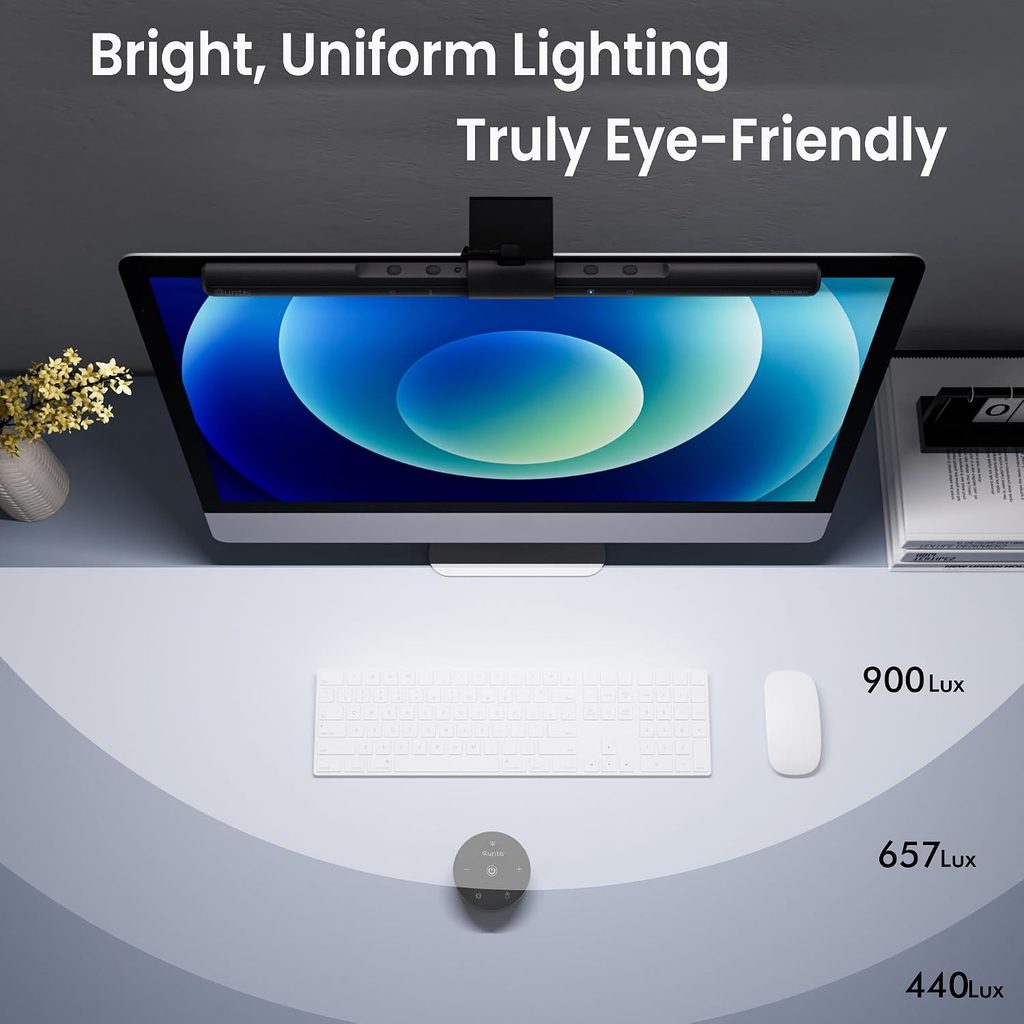
- Asymmetrical lighting design intended to reduce screen reflections.
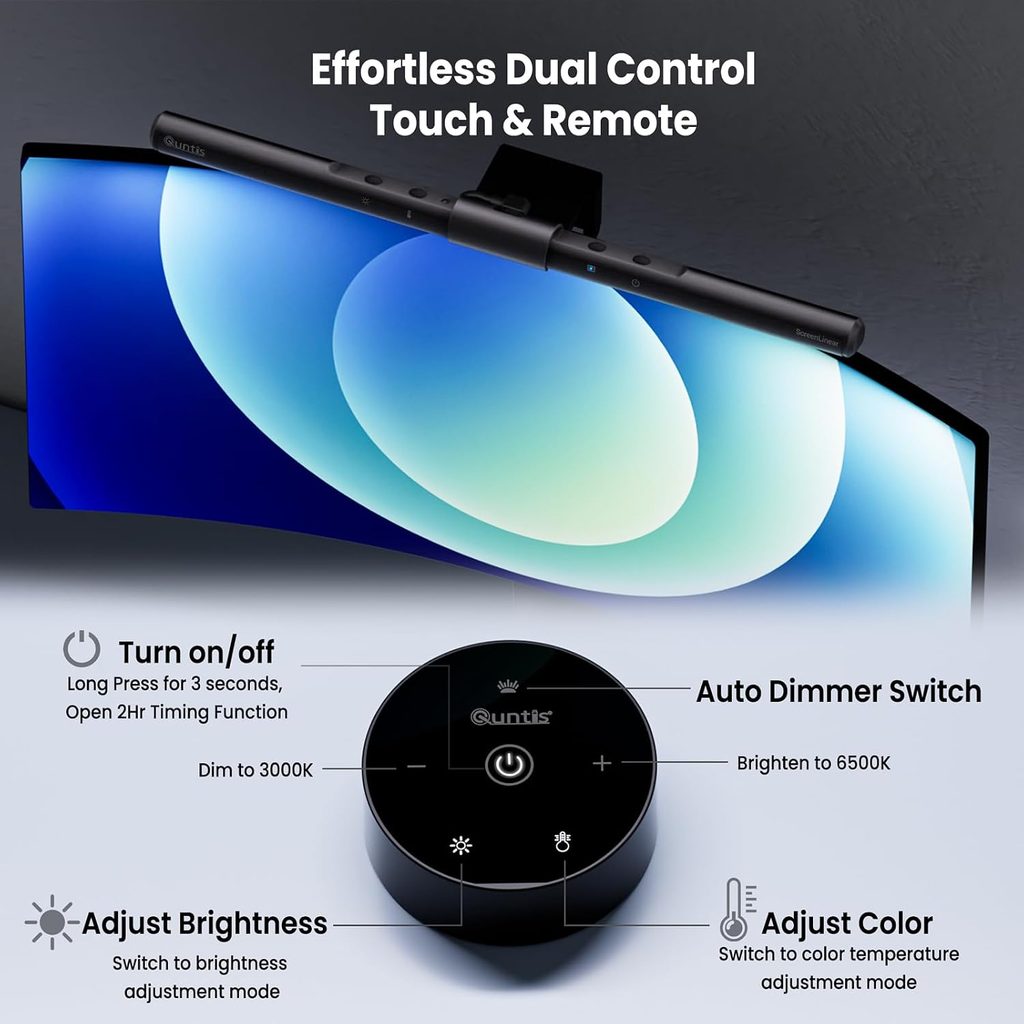
- Adjustable brightness and color temperature from 3000K to 6500K.
- Automatic brightness adjustment with manual touch controls.
- Claimed Ra98 color rendering for more natural-looking colors.
Cons
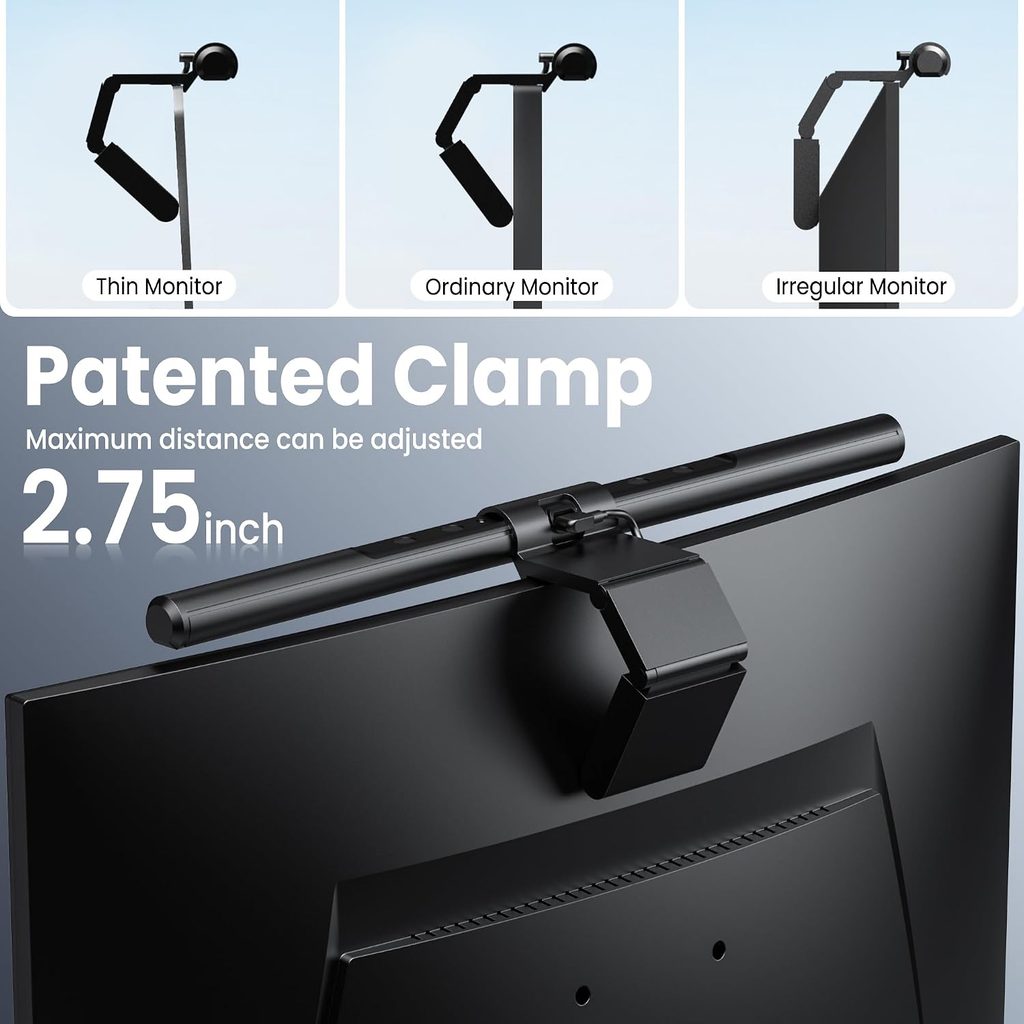
- The mounting clip may not fit every monitor shape or thickness.
- Automatic brightness may not match everyone’s preferred lighting.
- Requires a suitable USB power source.
Key Features That Matter
The Quntis ScreenLinear Pro uses an asymmetrical optical design to direct light onto the desk rather than straight at the display. This makes it a practical alternative to a conventional desk lamp, especially on smaller desks where space is limited. It is designed for focused task lighting rather than illuminating an entire room.
The light bar supports 3000K to 6500K color temperature adjustment, so users can choose warmer light for a relaxed atmosphere or cooler light for focused tasks. Its ambient-light sensor automatically adjusts brightness, while touch controls allow manual changes. One supplied customer review, however, reports that the automatic setting can be inconsistent with personal preferences. The ability to override it manually is therefore useful.
Quntis also lists a Ra98 color-rendering index, which may appeal to designers and digital artists who care about how colors appear under their workspace lighting. However, a high CRI rating alone does not guarantee color-accurate design work, and the lamp should not be treated as a medical solution for eye strain.
Related reading: Comparing monitor lighting options? See our review on ONWAY Curved Monitor Light Bar for another option to consider.
What Do Customer Reviews Tell Us?
The three customer reviews supplied show a mix of benefits and limitations. The five-star reviewer praised the easy installation, stable mounting, responsive touch controls, and reduced screen glare. The three-star reviewer liked the build quality and color-temperature adjustments but preferred to set the brightness manually. The one-star reviewer reported that the clip tilted on their curved monitor and did not sit securely.
These examples are individual experiences, not a representative analysis of every customer review. Still, they highlight the most important precaution: check monitor compatibility before ordering. The exact Quntis variant matters because mounting designs and compatibility can differ. Confirm the requirements on the current listing rather than assuming every version supports curved displays.
Is the Quntis Monitor Light Bar Worth Buying?
At $39.95, the Quntis monitor light bar could be a sensible purchase for students, remote workers, and creators who want focused desk lighting without adding another lamp. Adjustable lighting and a compact design make it appealing, particularly for minimalist workspaces.
It may not be the right choice if your monitor’s shape or thickness is incompatible, or if you expect automatic brightness to work perfectly without adjustment. If your monitor fits the mounting requirements and you want a simple way to illuminate your desk, the Quntis is worth considering.
Our verdict: A promising budget monitor-lighting option, provided you check compatibility first.
More desk setup ideas: If you’re also looking to improve monitor positioning and create more room on your desk, read our upcoming [Bamboo Monitor Stand with Drawer review]([INTERNAL LINK: Bamboo Monitor Stand with Drawer review]).
Frequently Asked Questions
Its asymmetrical optical design is intended to illuminate the desk while reducing reflections on the display. Results depend on your monitor and workspace conditions.
Do not assume it will. The supplied customer feedback includes a report of an unstable fit, and compatibility varies by model. Check the exact product variant and its mounting requirements before purchasing.
Yes. The supplied product details list touch controls for brightness and color temperature, alongside automatic brightness adjustment.
Conclusion
The Quntis Monitor Light Bar Review shows why this $39.95 lighting accessory may be worth considering for a compact home office or creator workspace. Its space-saving design, adjustable color temperature, and desk-focused illumination are appealing, while the auto-dimming behavior and monitor compatibility deserve careful consideration. If your monitor supports the mounting clip and you want focused lighting without sacrificing desk space, the Quntis ScreenLinear Pro is a practical option to compare against alternatives. Before purchasing, verify the exact model specifications and current price on Amazon.
Affiliate disclosure: Crokabay may earn a commission if you purchase through links in this article, at no additional cost to you.
Editorial note: This article is based on the product information and customer-review excerpts supplied for this review. Crokabay has not independently tested the product.