The Satechi Pro Slim 7-in-1 is a USB-C hub designed for MacBook users who want more connectivity without a bulky adapter hanging from their laptop. Priced at $79.99, it adds HDMI display output, USB data ports, SD and MicroSD card readers, and up to 100W power pass-through in a slim aluminum design that connects directly to compatible MacBook USB-C ports.
For designers, photographers, students, and remote workers, it offers a way to connect essential accessories while keeping a workspace minimal. Its direct-connection design is convenient, but it also introduces a few compatibility considerations.
The Bottom Line
The Satechi Pro Slim 7-in-1 is best suited to MacBook users who value a clean, cable-light setup and need reliable everyday expansion. Its 4K HDMI output, high-speed data ports, and card readers make it useful for creative and office work. However, the direct-fit design may not accommodate thick protective cases, and customer feedback suggests the hub can become warm during demanding use.
What We Like and What Could Be Better
Pros
- Direct dual-connector design avoids a dangling hub cable.
- Up to 100W USB-C power pass-through.
- HDMI output supports up to 4K at 60Hz.
- USB4 port rated for data speeds up to 40Gbps.
- USB-A and USB-C data ports rated up to 10Gbps.
- Built-in SD and MicroSD card readers.
- Aluminum housing with a finish designed to complement compatible MacBooks.
Cons
- The flush-fit design may not work with thick hard-shell MacBook cases.
- Can become noticeably warm during heavy use, according to one supplied review.
- The $79.99 price may be difficult to justify if you only need a few basic ports.
- Compatibility depends on the exact MacBook model and port arrangement.
Key Features That Matter
A direct connection for a cleaner desk
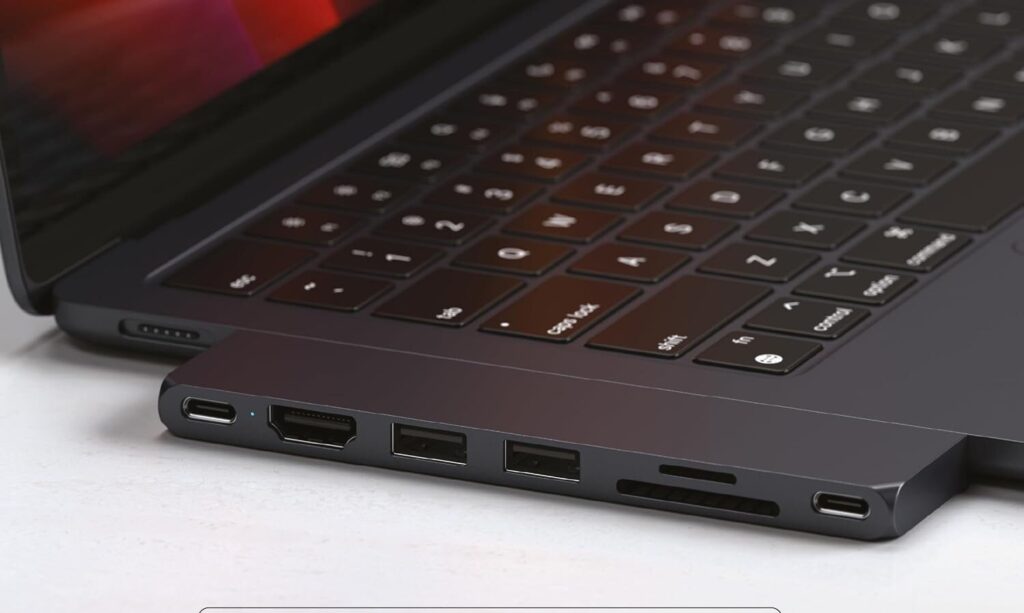
Unlike a traditional hub connected by a short cable, the Satechi Pro Slim attaches directly to compatible MacBook USB-C ports. This creates a more integrated look and reduces loose cables around the laptop.
That design is especially appealing for minimalist desk setups and people who frequently work in different locations. However, the hub’s flush fit means that laptop cases and the physical spacing of the ports matter. If you use a hard-shell case, confirm that the connector can reach the laptop’s ports properly.
4K HDMI for an external monitor
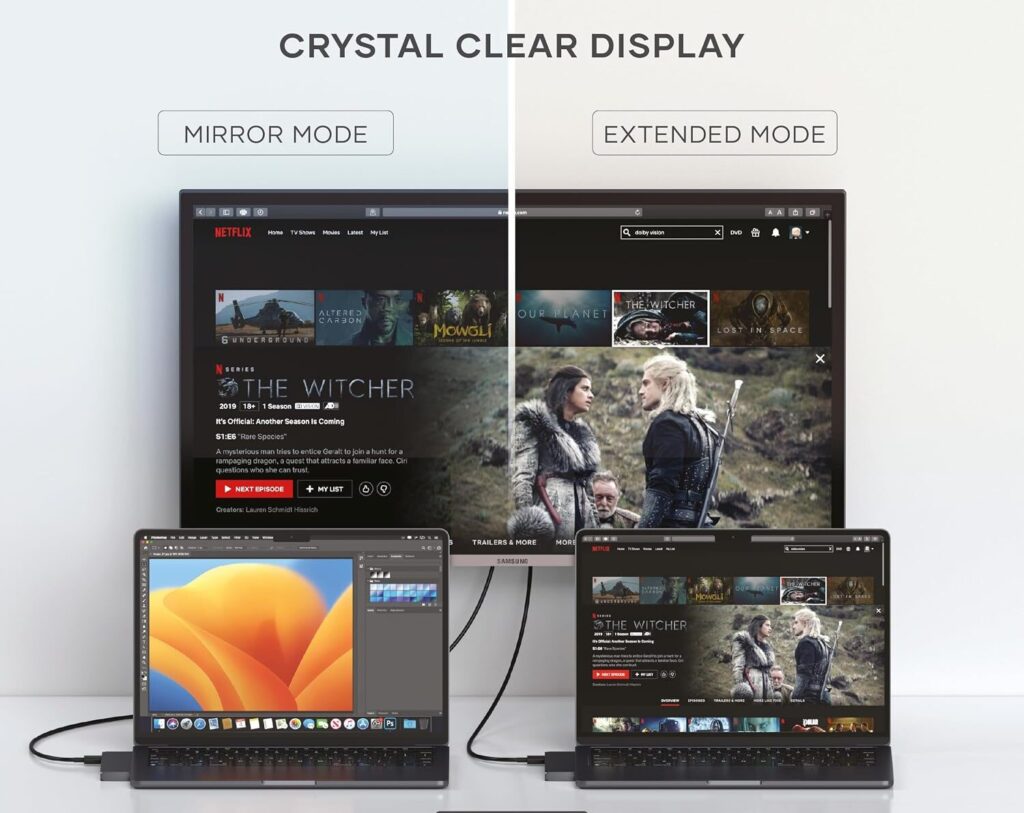
The hub’s HDMI output supports an external display at up to 4K resolution and 60Hz, according to the supplied specifications. This can be useful when connecting a MacBook to a larger monitor for design work, video editing, multitasking, or general productivity.
It provides one HDMI output, so this is not a solution for someone who needs several HDMI-connected displays from the hub alone. Check your MacBook’s supported external-display capabilities as well.
High-speed USB4 and USB data ports
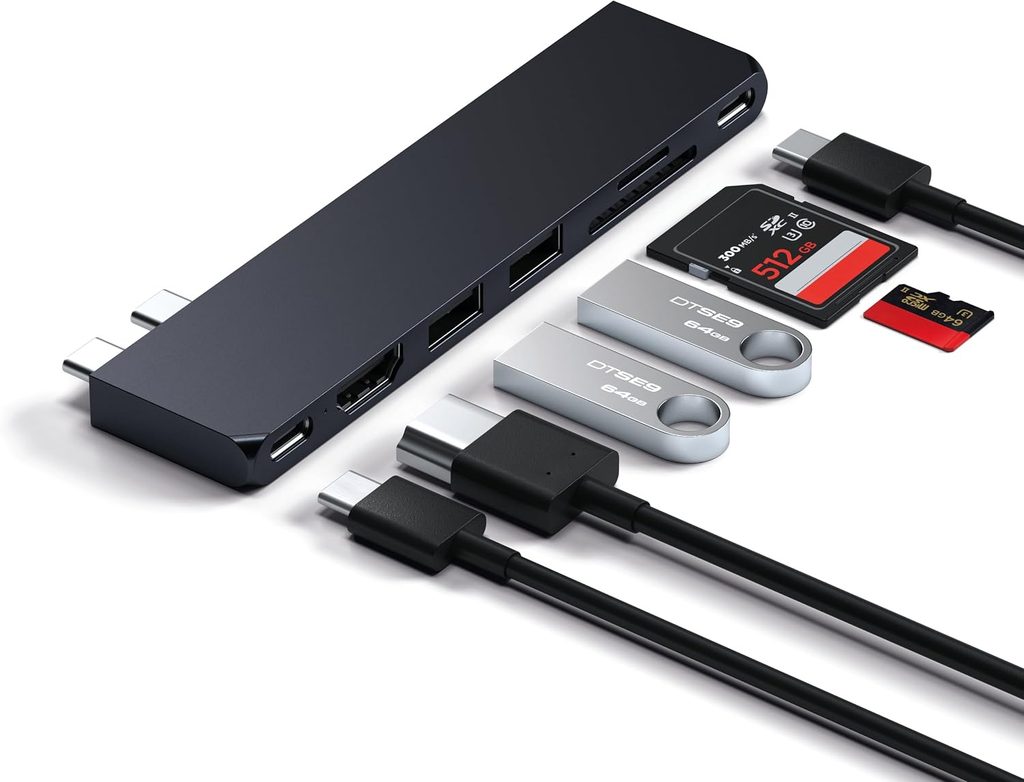
The USB4 port is rated for transfer speeds up to 40Gbps, while the USB-C data port and two USB-A 3.2 Gen 2 ports are rated up to 10Gbps. These connections can help when transferring large files, using external storage, or connecting compatible accessories.
Actual transfer speeds depend on the connected device, cable, file type, and other hardware. The USB4 rating does not mean every port operates at 40Gbps.
Power pass-through and card readers
The hub supports up to 100W USB-C Power Delivery pass-through, allowing a compatible charger to power the MacBook while the hub is in use. It also includes SD and MicroSD card readers, which are useful for photographers and creators transferring files from compatible memory cards.
The card readers are listed as UHS-I, so buyers working with faster memory cards should check whether the available transfer performance meets their needs.
Aluminum housing and thermal protection
The aluminum body gives the hub a premium appearance and is intended to help dissipate heat. The supplied product information also describes thermal protection and automatic shut-off under specified temperature or current conditions.
One supplied customer review reported noticeable warmth when charging the laptop while using an external 4K display. Warmth during operation does not automatically mean a device is defective, but if you regularly run demanding combinations of connected devices, it is worth considering alongside your other requirements.
Satechi Pro Slim 7-in-1 Specifications
| Specification | Details |
|---|---|
| Brand/model | Satechi Pro Slim 7-in-1 |
| Connection | Direct dual USB-C connector |
| HDMI output | 1 × HDMI, up to 4K at 60Hz |
| USB4 port | Up to 40Gbps |
| USB-C data port | Up to 10Gbps |
| USB-A ports | 2 × USB-A 3.2 Gen 2, up to 10Gbps |
| Power pass-through | Up to 100W USB-C PD |
| Card readers | SD and MicroSD, UHS-I |
| Material | Aluminum |
| Color | Midnight; other listed finishes include Silver and Space Gray |
| Compatibility | Selected MacBook Air and MacBook Pro models |
| Price provided | $79.99 |
Compatibility note: The supplied details list MacBook Air and MacBook Pro models with compatible dual USB-C ports. Before purchasing, verify your exact model, port layout, and case clearance against Satechi’s current compatibility information. Do not assume every MacBook generation supports every feature in the same way.
What Do Customer Reviews Tell Us?
The supplied reviews highlight the product’s design advantages as well as its practical limitations.
A strong match for minimalist MacBook setups. One five-star reviewer praised the direct connection, matching Midnight finish, and performance when transferring files from an SD card and external drive. This reflects the hub’s appeal to users who value a clean appearance alongside useful connectivity.
Protective cases can interfere with the fit. A three-star reviewer reported that a hard-shell case prevented the hub from connecting fully. Since the hub sits directly against the laptop, this is an important physical compatibility check before ordering.
Heat may be noticeable under heavier workloads. One one-star reviewer described the hub becoming warm while charging through the PD connection and outputting to an external 4K display. This is an individual experience, not proof of a general defect, but it is relevant if you expect to use several features simultaneously for extended periods.
Overall, the feedback suggests that the direct-fit design is both the hub’s main advantage and a limitation for some users.
Is This the Right USB-C Hub for Your MacBook?
The Satechi Pro Slim 7-in-1 is a strong candidate if you want a tidy, integrated hub for a compatible MacBook and regularly use an external monitor, USB accessories, and memory cards.
It is particularly suitable for people who value design consistency and want to avoid an adapter dangling from their laptop. On the other hand, users with thick hard-shell cases, multiple external-display requirements, or a preference for flexible cable placement may be better served by a conventional cabled hub.
At $79.99, it makes the most sense when you will regularly use several of its features. If you only need a basic USB adapter, a less expensive model may be sufficient.
More desk setup recommendations: VVB 14-in-1 USB-C Dock review — a larger port selection for compatible workstation setups.
HUANUO Dual Monitor Arm review — a complementary accessory for a more organized desk and external-monitor workflow.
Frequently Asked Questions
1. Does the Satechi Pro Slim 7-in-1 support 4K at 60Hz?
The supplied specifications list one HDMI output supporting up to 4K at 60Hz. Actual support depends on the MacBook, display, cable, and configuration.
2. Can I use it with a MacBook protective case?
Not every case will fit. Because the hub connects directly and sits flush against the laptop, a thick hard-shell case may block a complete connection. Verify the fit before buying.
3. Can it charge a MacBook while connected to other devices?
Yes. It supports up to 100W USB-C Power Delivery pass-through when used with a compatible charger. Actual charging performance depends on the charger, MacBook, and connected devices.
Conclusion
The Satechi Pro Slim 7-in-1 is designed for MacBook users who want a premium-looking hub that expands connectivity without adding another loose cable to their desk. Its HDMI output, USB4 connection, additional USB ports, card readers, and power pass-through make it a practical companion for many everyday creative and office workflows.
The main trade-offs are its direct-fit design, potential case-clearance issues, and reported warmth during heavier use. Confirm compatibility with your exact MacBook before buying, and consider whether its port selection justifies the $79.99 price for your needs.
Affiliate disclosure: Crokabay may earn a commission if you purchase through links in this article, at no additional cost to you.
Editorial note: This review is based on the supplied product information and customer review excerpts. Crokabay has not independently tested this product.