The EPOMAKER Aula F75 Keyboard combines a compact 75% layout, tri-mode wireless connectivity, hot-swappable switches, and a dedicated multimedia knob in a keyboard designed for work and gaming. At the supplied price of $68.99, it offers several features enthusiasts often look for in a customizable mechanical keyboard, without taking up as much desk space as a full-size model.
The bottom line: The F75 is a strong option for buyers who want a compact keyboard with a smooth linear typing feel, sound-dampening construction, and convenient volume control. Its main trade-offs are the smaller layout, a 4000mAh battery, and customer feedback about wireless wake-up delays and keycap visibility in dim lighting.

What We Like and What Could Be Better
Pros
- Compact 75% layout saves desk space while retaining essential function and navigation keys.
- Bluetooth, 2.4GHz wireless, and USB-C wired connectivity.
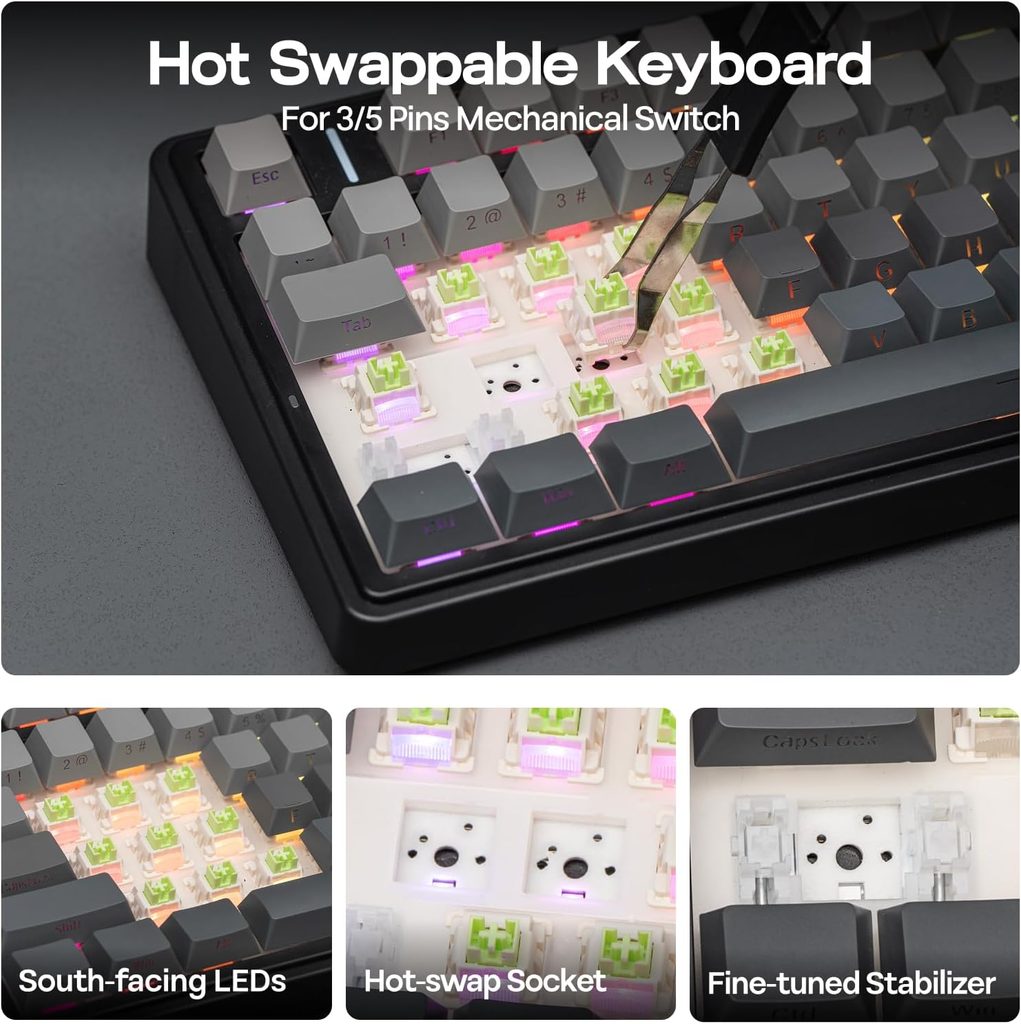
- Hot-swappable PCB supports compatible 3-pin and 5-pin switches.
- Leaf-spring gasket mount and five-layer acoustic padding.
- Dedicated multimedia knob for convenient volume adjustments.
- Double-shot PBT keycaps and customizable RGB lighting.
Cons
- Smaller layout requires adjustment if you’re used to a full-size keyboard.
- One supplied customer review reports that the first keystroke can occasionally be missed when waking from sleep in 2.4GHz mode.
- Keycap legends may be harder to read in dim lighting, depending on the selected colorway.
- The 4000mAh battery is smaller than the 8000mAh battery listed for the AULA F99.
Key Features That Matter
1. A compact layout with a dedicated control knob
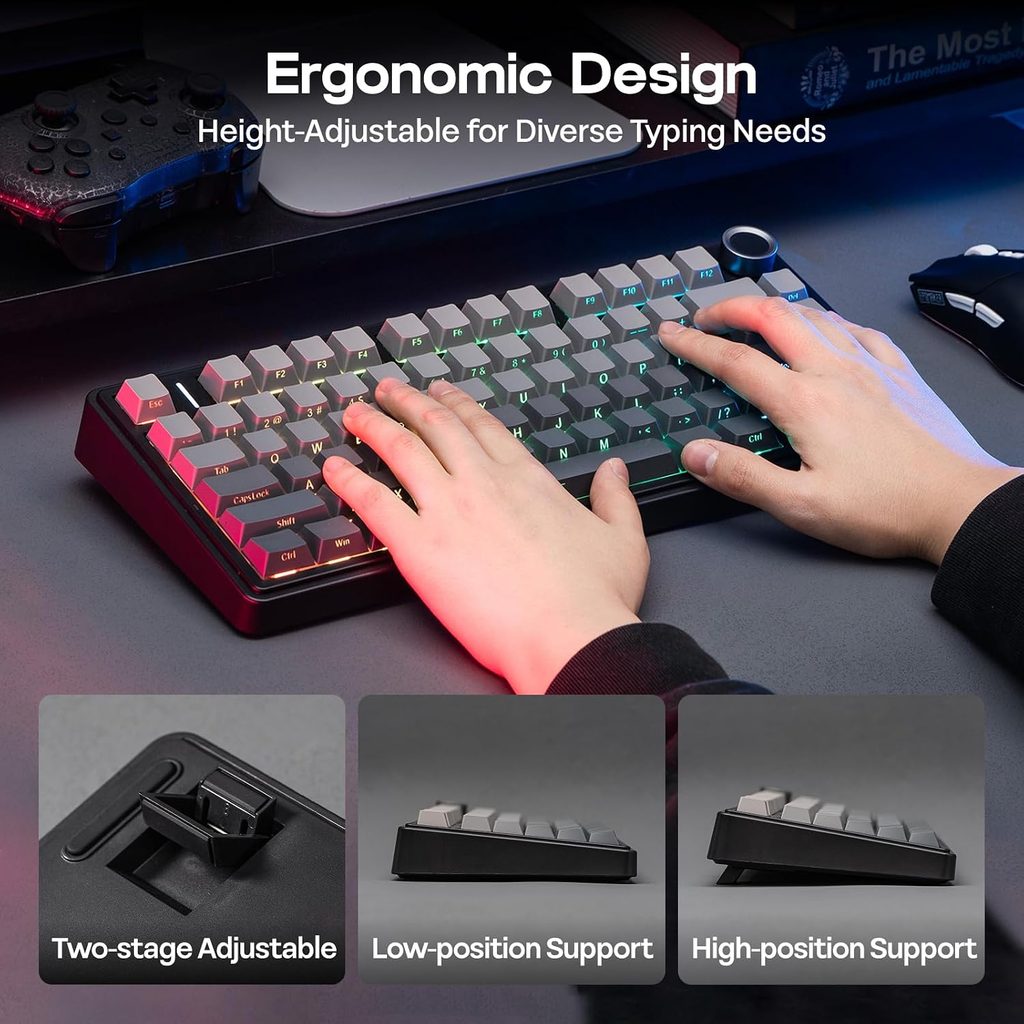
The F75 uses a 75% layout with 80 keys and a top-right multimedia knob. It keeps commonly used function and navigation keys while reducing the keyboard’s overall footprint.
The knob is especially useful for desktop work. You can adjust volume without reaching for on-screen controls, which is convenient when switching between music, calls, editing software, and other applications.
The trade-off is that some keys and functions may require combinations or a different layout from a full-size keyboard. If you rely heavily on a dedicated number pad, the F75 may not be the right fit.
2. Leaf-spring gasket mounting and five-layer acoustic padding
The keyboard uses a leaf-spring gasket structure with five layers of acoustic material, including Poron foam, an IXPE switch pad, a PET sound-enhancement pad, and a bottom silicone pad. These components are designed to reduce unwanted internal resonance and influence the feel and sound of keystrokes.
The supplied five-star review praises the smooth LEOBOG Reaper linear switches and the satisfying sound straight out of the box. That makes the F75 appealing to buyers who enjoy a softer, fuller typing sound without immediately modifying their keyboard.
However, sound is subjective and depends on the desk surface, typing style, room acoustics, and individual preferences.
3. Tri-mode connectivity and hot-swappable switches
The F75 supports Bluetooth, 2.4GHz wireless, and USB-C wired connections. This gives you options for a clean wireless setup or a wired connection when preferred.
Its hot-swappable PCB accepts compatible 3-pin and 5-pin switches, allowing users to change the typing feel without soldering. This is useful if you want to experiment with different switches later rather than replacing the entire keyboard.
One supplied three-star review praises the hardware and acoustic design but notes that keycap legends can be difficult to read in dim lighting on some colorways. If you often work at night, examine the specific keycap version before choosing.
4. RGB lighting and rechargeable battery
The F75 features customizable RGB backlighting with a claimed 16.8 million colors and multiple lighting patterns. It also has a 4000mAh rechargeable battery for wireless operation.
Actual battery life depends on lighting brightness, connection mode, and usage. The supplied specifications do not provide a verified runtime, so buyers should not assume a specific number of days between charges.
The supplied one-star review also reports that the keyboard can occasionally miss the first keystroke when waking from sleep in 2.4GHz mode. If you frequently switch between tasks and immediately begin typing, this is worth considering.
Specifications
| Feature | Details |
|---|---|
| Brand / Model | EPOMAKER x Aula F75 |
| Price provided | $68.99 |
| Layout | 75%, 80 keys plus control knob |
| Connectivity | Bluetooth, 2.4GHz wireless, USB-C wired |
| Switches | LEOBOG Reaper pre-lubed linear switches |
| Hot-swappable | Compatible 3-pin and 5-pin switches |
| Structure | Leaf-spring gasket mount, five-layer acoustic padding |
| Keycaps | Cherry-profile double-shot PBT |
| Battery | 4000mAh |
| Dimensions | Approx. 12.7 × 5.64 × 1.7 inches |
| Weight | Approx. 2.16 lbs |
| Lighting | Customizable RGB |
| Compatibility | PC, Mac, laptops, tablets, and smartphones, subject to device support |
What Do Customer Reviews Tell Us?
The supplied customer reviews point to three practical considerations:
- Typing feel and sound: A five-star reviewer praises the smooth linear switches, satisfying sound, and useful volume knob. This supports the F75’s appeal to people who care about both typing experience and desk aesthetics.
- Keycap readability: A three-star reviewer reports that some keycap legends are harder to read in dim conditions, depending on the colorway. Check the exact version if visibility matters to your workflow.
- Wireless wake-up behavior: A one-star reviewer says the first keystroke can occasionally be missed when the keyboard wakes from sleep in 2.4GHz mode. This is an individual report, not proof that all units experience the issue, but it is worth knowing before buying.
Overall, the feedback suggests that the keyboard’s sound and physical design are major attractions, while the smaller usability details may matter more to some users than others.
EPOMAKER Aula F75 vs. AULA F99: Which Should You Choose?
Both keyboards offer tri-mode connectivity and hot-swappable switches, but they suit different desk setups.
| Feature | EPOMAKER x Aula F75 | AULA F99 |
|---|---|---|
| Layout | 75%, 80 keys | 96%, 99 keys |
| Number pad | No dedicated number pad | Yes |
| Battery capacity | 4000mAh | 8000mAh |
| Control knob | Yes | Not listed in supplied details |
| Price provided | $68.99 | $68.99 |
Choose the F75 if you want more mouse space, a compact layout, and a dedicated volume knob. Choose the F99 if you use a number pad regularly and prefer a layout closer to full-size.
Read our AULA F99 Wireless Mechanical Keyboard review for a closer look at the alternative.
Check the EPOMAKER x Aula F75 on Amazon
Frequently Asked Questions
1. Can you replace the switches on the EPOMAKER x Aula F75?
Yes. Its hot-swappable PCB supports compatible 3-pin and 5-pin mechanical switches, so you can change switches without soldering.
2. Is the F75 suitable for office work?
Yes. Its compact layout, wireless connectivity, and volume knob can work well for everyday typing, calls, and productivity. Consider whether you need a dedicated number pad before choosing a 75% keyboard.
3. Is the F75 a wireless-only keyboard?
No. It supports Bluetooth, 2.4GHz wireless, and USB-C wired connections. The best mode depends on your device, desk setup, and preferences.
Conclusion
The EPOMAKER Aula F75 Keyboard offers a useful balance of compact design, customization, and everyday convenience. Its gasket-mounted structure, five-layer acoustic padding, hot-swappable switches, and multimedia knob make it an attractive choice for users who want a more personalized keyboard without occupying a large portion of their desk.
At $68.99, it deserves consideration if you value typing feel and desk space more than a dedicated number pad. Before buying, review the selected keycap colorway and consider the reported wireless wake-up behavior. If you regularly use numeric keys, compare it with the AULA F99 before making your decision.
Affiliate disclosure: Crokabay may earn a commission from qualifying purchases made through links in this article, at no additional cost to you.
Editorial note: This article is based on the supplied product information and customer-review excerpts. Crokabay has not independently tested this product. Confirm current specifications, compatibility, price, and availability on the product listing before purchasing.